Azimuth Observer for iPhone
No App Store, no download. Add Azimuth Observer to your Home Screen from Safari and it opens like an app: your nodes and their animal names, online status, rewards with full breakdowns, the hex-freshness map, the leaderboard, and alerts when a node goes offline.
Install
The steps in Safari:
1. Tap Share
In Safari, tap the Share button (the square with an arrow) in the toolbar.
2. Add to Home Screen
Scroll the share sheet and tap Add to Home Screen, then Add.
3. Open Observer
Open Azimuth Observer from your Home Screen and sign in. Notifications need iOS 16.4 or newer.
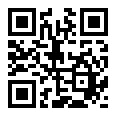
On a computer?
Scan this code with your iPhone camera to open this page there.
Why can't iPhone collect signals?
iOS gives third-party apps no API for serving or neighbour cell information or signal strength, raw GNSS measurements, Wi-Fi scanning or ranging, or arbitrary USB devices. Those are the inputs an Azimuth node needs, so collection runs on an Android phone or an RTL-SDR node. All of them report to the same account, and the iPhone app shows the result.
Want to collect with your phone? Get the Android app or the desktop node.
- Sign in / register / Google sign-inWorks on iPhone
Email + password sign-in on the same account (Google sign-in via the website).
- My Nodes (names, status, last seen, tier)Works on iPhone
Every node on the account with its animal name, online/offline status, last seen and tier.
- Node label, privacy, reward split, mergeWorks differently
View here; edit labels, privacy, splits and merges on azimuth.day (Dashboard > My Node). Kept read-only in the app shell so a mistyped tap cannot retire a node.
- Dashboard: points, rewards, referralWorks on iPhone
Points balance, recent awards with the full reward breakdown (base, saturation, freshness, multipliers).
- Hex freshness mapWorks on iPhone
Hex-freshness map of the visible area.
- LeaderboardWorks on iPhone
Weekly / all-time leaderboard with your rank.
- Settings: display name, version checkWorks on iPhone
Account display name, sign out, notification toggle.
- Push notifications (FCM)Works differently
Web Push on iOS 16.4+ once the app is on the Home Screen: node offline and daily reward summary. iOS delivers push to web apps only after Add to Home Screen, and permission must be requested from a tap.
Apple: source 1
- Test positioning (fused location)Works differently
Not collected. A position check can be run on the website. A home-screen web app only gets location while it is open in the foreground.
Apple: source 1
- Cell observations (cell_lte, cell_nr)Not possible on iOS
Not available. iOS gives third-party apps no serving or neighbour cell information and no signal strength. CTTelephonyNetworkInfo reports only the carrier and the coarse radio technology.
Apple: source 1
- Raw GNSS measurements (gnss_raw), RTK / NTRIP correctionsNot possible on iOS
Not available. Core Location returns computed positions only; there is no public API for raw GNSS measurements.
Apple: source 1
- Wi-Fi survey (wifi_survey)Not possible on iOS
Not available. There is no public API to scan nearby Wi-Fi networks. NEHotspotHelper is restricted to apps that Apple approves case by case, and NEHotspotNetwork returns only the network the phone is already joined to.
- Wi-Fi RTT ranging (wifi_rtt)Not possible on iOS
Not available. iOS exposes no Wi-Fi round-trip-time ranging API to third-party apps.
Apple: source 1
- External Bluetooth / USB GPS receiversNot possible on iOS
Not available. Web apps on iOS cannot use Web Bluetooth or WebUSB, and native accessory access requires Apple-certified (MFi) hardware.
- OTG RTL-SDR (Tier 1 on the phone)Not possible on iOS
Not available. Run an RTL-SDR node on a computer or Raspberry Pi; it shows up here under your account. iOS does not let apps talk to arbitrary USB devices.
Apple: source 1
- GPS integrity monitoringNot possible on iOS
Not available. It depends on raw GNSS measurements, which iOS does not provide.
Apple: source 1
- Background collection serviceNot possible on iOS
Not available. There are no collectors to run (see the rows above), and home-screen web apps cannot run in the background.
Apple: source 1